ProductSales reports
Know what's selling, without the spreadsheet night.
Every week runs on the same three questions: what's moving, who's buying, and how this month compares to last. The answers are already in your orders. Reports read them back in seconds, for any date range.
Three reports, straight from your orders
Pick a period and the answer is on screen, sorted so the story sits at the top. No exports to build, no pivot tables to maintain, no waiting on whoever owns the spreadsheet.
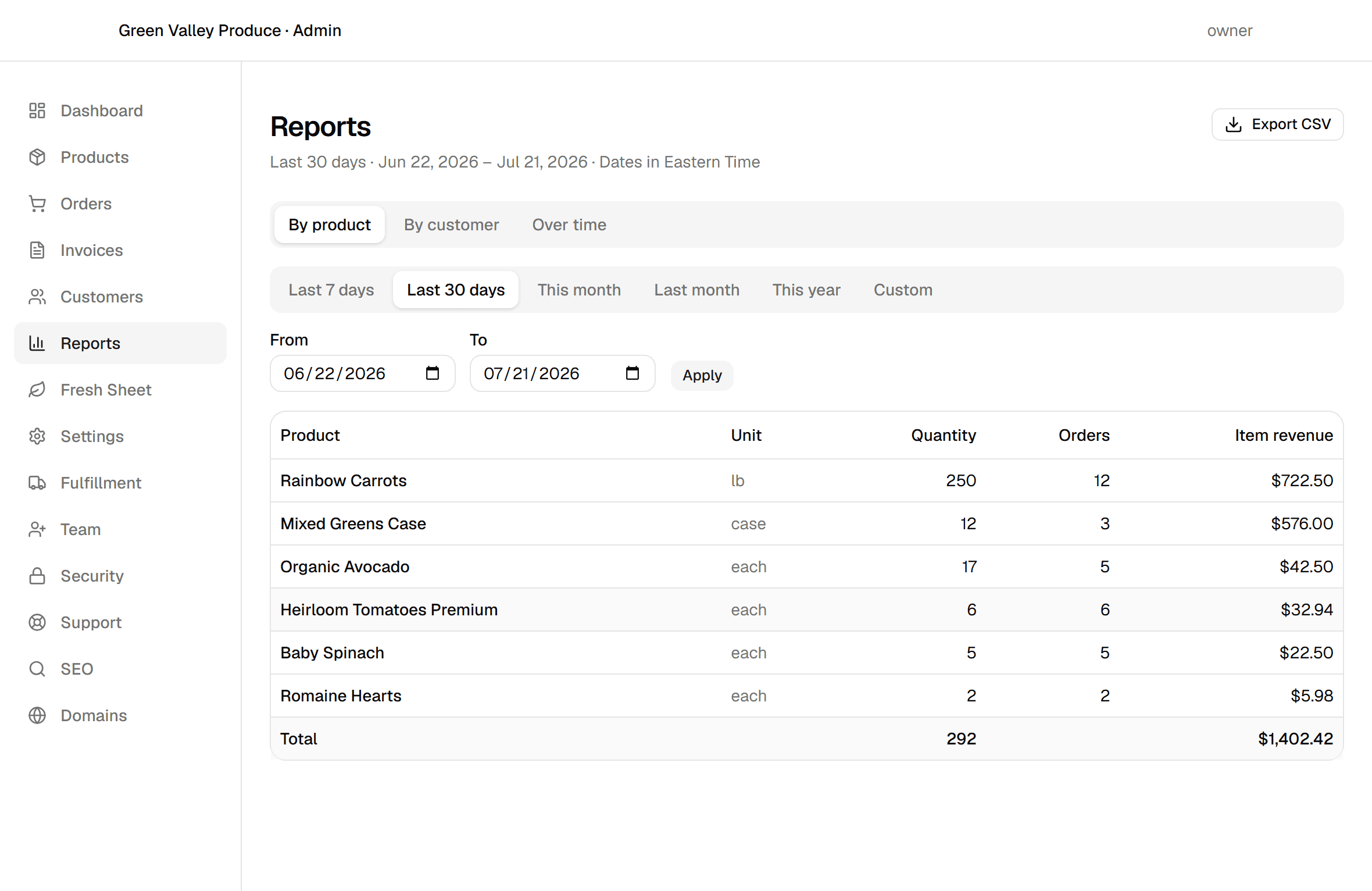
Sales by product
Quantity, orders, and revenue per product, best sellers first, so the stars and the dead stock are equally obvious.
Sales by customer
Wholesale and retail accounts ranked by what they actually spend, order counts included. Your call list writes itself.
Sales over time
Daily, weekly, or monthly totals across any range, so trend and seasonality stop being a feeling.
Numbers you can reconcile
Reports count every order except cancellations and always agree with the rest of the admin, down to the cent. Figures come from what was actually charged at the time: renaming or repricing a product never rewrites last month, and a product you delete keeps its sales history under the name it sold as.
Periods follow your store's timezone, so "this month" means your month, not a server's. Presets cover the usual questions; a custom range covers the rest.
One click to a spreadsheet
Every report exports as a CSV of exactly what's on screen, named after your store, the report, and the date range. It opens cleanly in Excel, Google Sheets, or LibreOffice: columns line up, accented names survive, and money lands as plain decimal numbers ready to sum.
The file is also hardened in the unglamorous way that matters: no cell can ever execute as a spreadsheet formula, so an oddly named product stays plain text in your bookkeeper's workbook.
Hand the month to QuickBooks
When the books close, the accounting export takes over where reports leave off. Pick a period and download three files built for QuickBooks Online's own import screens, with column mapping that happens automatically and totals that match the admin to the cent. No account connection, no plugin: files you download and import yourself, on every plan Starter and up.
Invoices
One row per line item in QuickBooks Online's invoice-import layout; rows sharing an invoice number import as one invoice with its dates and exact totals.
Payments received
Settled online payments, invoices marked paid, and orders paid at checkout or on delivery, dated the day the money was recorded, to reconcile accounts receivable.
Orders
Non-cancelled orders with line items and totals: the prepaid and retail sales that never produce an invoice, ready for sales receipts or a spreadsheet.
Included in Launch at $49/month + 2% of card sales. The QuickBooks accounting export is included on every plan Starter and up.
Questions, answered.
What sales reports does Minori Midori include?+
Three, on every plan: sales by product (quantity, orders and revenue, best sellers first), sales by customer (wholesale and retail accounts ranked by what they actually spend), and sales over time in daily, weekly or monthly buckets. Any date range works, periods follow your store's timezone, and every report exports as a CSV.
Do the reports reconcile with my invoices?+
Yes. Reports count every order except cancellations and agree with the rest of the Minori Midori admin down to the cent. Figures come from what was actually charged at the time, so renaming or repricing a product never rewrites last month, and a product you delete keeps its sales history under the name it sold as.
Can I export my sales data to Excel or Google Sheets?+
Yes, on every plan. Each report exports as a CSV of exactly what's on screen, named after your store, the report and the date range. Columns line up, accented names survive, and money lands as plain decimal numbers ready to sum. The files are also hardened so no cell can execute as a spreadsheet formula.
Does Minori Midori work with QuickBooks?+
Yes, on every plan Starter and up, through a file-based accounting export: invoices in QuickBooks Online's own invoice-import layout, plus payments received and orders, as CSV files for any period. Columns map automatically and totals match the admin to the cent. It's one-way, so nothing touches your QuickBooks company until you import a file yourself. A two-way API sync is available as part of the Enterprise plan.
Take your first order this afternoon.
Create your store, pick a subdomain and add a product. No sales call required. Prefer a walkthrough first? We'll show you the whole thing.